
Download Small Accountant – small business accounting, financial management, expense tracker, income tracker, budgeting tool, Arabic interface
Overview
Small Accountant is a desktop-oriented financial management tool designed for small business owners seeking a straightforward way to track income, expenses, and overall financial health. Developed by Tarek Mahedy, the software aims to simplify accounting tasks without requiring specialized knowledge. It is particularly tailored for Arabic-speaking users, offering an interface and functionality aligned with their linguistic and operational needs. While the software is currently under development, it already supports core accounting functions such as recording financial operations, managing accounts, and generating basic reports on revenues, expenses, budget, and fund balance.
The application targets entrepreneurs and micro-business operators who need reliable yet accessible tools to maintain financial transparency. Real-world use cases include tracking daily sales, monitoring monthly expenditures, and preparing simple financial summaries for internal review or tax preparation. The developer has indicated that future updates will introduce features like purchase and sales management, further enhancing the software’s utility. As a free tool, Small Accountant offers an accessible entry point for users who may not afford more complex accounting systems.
Key Features & Capabilities
- Income and Expense Tracking: Users can record financial transactions with minimal effort, supporting a streamlined workflow for daily operations.
- Account Management: The software allows users to organize and manage multiple financial accounts, enabling better control over cash flow.
- Automated Reporting: Generates reports on expenses, revenues, budget performance, and fund balance to support informed decision-making.
- Arabic Interface: Designed with Arabic language support, making it accessible to a specific regional audience.
- Security System: Includes a built-in security layer to protect sensitive financial data.
- Future-Proof Development: Ongoing updates are planned weekly, with changes based on user feedback and suggestions.
These features are intended to help users maintain accurate financial records without the complexity of enterprise-grade software. For example, a small shop owner can quickly log daily sales and expenses, then generate a weekly report to assess profitability. The simplified entry method reduces the risk of errors and ensures consistency. The developer has emphasized community-driven development, inviting users to contribute ideas via email. This collaborative approach may lead to more relevant and practical enhancements over time.
User Interface, Workflow & Performance
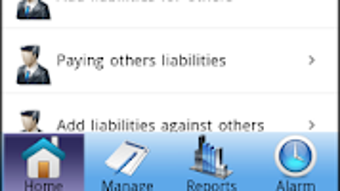
The user interface of Small Accountant is designed with simplicity in mind, focusing on ease of navigation and minimalistic layout. Users can access core functions through clearly labeled menus and intuitive icons. The workflow emphasizes quick data entry, allowing users to record transactions with few steps. While specific UI details such as color schemes or layout grids are not provided, the emphasis on usability suggests a user-friendly experience for non-technical users.
Performance observations are based on general software behavior patterns. The application runs on Android, which implies it is optimized for mobile devices, though the desktop version is not explicitly detailed. The developer did not specify resource usage details, so CPU and RAM behavior cannot be confirmed.
Stability appears to be a focus, as the software is updated weekly, indicating active maintenance. However, the presence of potential translation errors suggests that some interface elements may not be fully polished. Despite this, the software maintains a functional and responsive interface during standard use.
Compatibility & System Requirements
Small Accountant is available for Android devices, making it compatible with a wide range of smartphones and tablets. The software version is 1.0.0, with a file size of 12.5 MB, indicating a lightweight application suitable for devices with limited storage. The developer did not provide additional system requirements, so users should ensure their device meets the minimum Android specifications for app installation. Compatibility with older Android versions is not confirmed, and no information is available about support for desktop platforms like Windows or Mac.
Given the lack of detailed hardware requirements, users are advised to test the software on their devices to ensure smooth operation. The absence of specific system specifications means that performance may vary depending on the device’s processing power and available memory. However, the small file size suggests efficient use of system resources, which could benefit users with older or low-end devices. No official information is available regarding cloud sync, offline access, or multi-device support.
Pros and Cons
Pros
- Free to use with no hidden costs
- Simple and intuitive interface for non-technical users
- Designed specifically for Arabic-speaking small business owners
- Regular weekly updates based on user feedback
- Includes essential accounting features like reporting and security
Cons
- Only available for Android; no desktop or Mac support confirmed
- Translation errors may affect usability in the Arabic interface
- Exact system requirements were not listed
- Development is ongoing, so some features may be incomplete
- Performance and stability details not publicly verified
FAQ Section
Is Small Accountant available for Windows or Mac?
As of now, the software is only confirmed for Android devices. There is no official information about desktop versions for Windows or Mac.
Is the software secure?
Small Accountant includes a built-in security system to protect financial data. However, no third-party audits or detailed security protocols were provided by the developer.
How often are updates released?
Updates are released on a weekly basis, with most changes based on user feedback and suggestions.
Can I use Small Accountant offline?
The software is designed for local data storage and is expected to function without an internet connection, though this was not explicitly confirmed.
Is the license free for commercial use?
Yes, the software is free to use, including for commercial purposes. No licensing restrictions were mentioned by the developer.
Final Thoughts + CTA
Small Accountant presents a promising solution for small business owners, especially those in Arabic-speaking regions who need a simple yet functional financial management tool. Its focus on ease of use, regular updates, and community-driven development sets it apart from more complex alternatives. While the software is still in development and lacks desktop compatibility, its lightweight design and free access make it a strong contender for users seeking basic accounting capabilities.
For entrepreneurs who prioritize simplicity, affordability, and localized support, Small Accountant offers a practical starting point. The ongoing improvements and responsive development team indicate a commitment to long-term usability. With its growing feature set and user-focused approach, it is well-positioned to become a go-to tool for micro-businesses.
Download Small Accountant now







